To activate the Chromebook Split Screen:
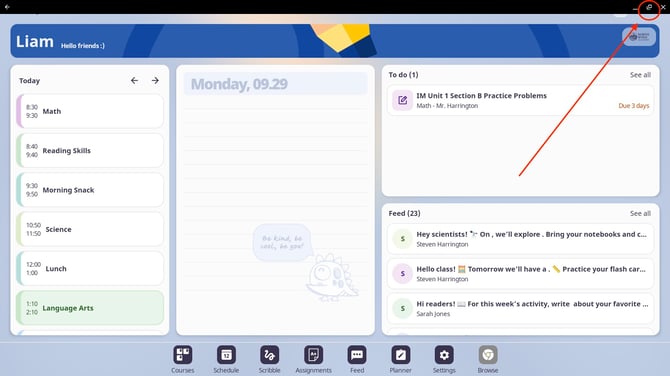
1. Hover over the square in the top-right corner of the app
2. Select "Split," and choose another open app to share the screen.

To activate the Chromebook Split Screen:
1. Hover over the square in the top-right corner of the app
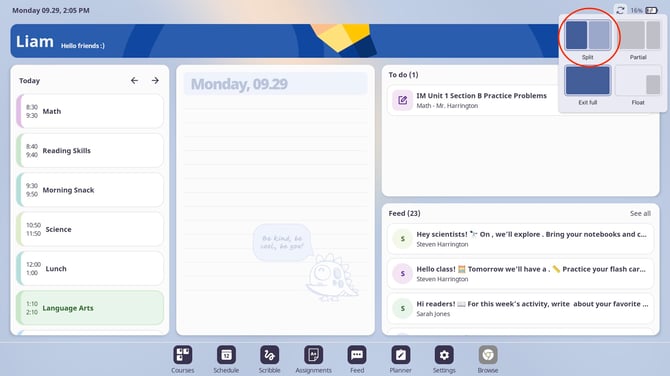
2. Select "Split," and choose another open app to share the screen.